AvailableProduct details
  • Desktop

Create Desk

A local-first desktop planner for creators running multiple YouTube channels — plan uploads and track every video from idea to published.

Create Desk is a local-first desktop manager for creators running multiple YouTube channels. Plan your upload schedule, track every video through a clear pipeline — Idea, Script, Create, Edit, Ready, Published — and always know what to work on next. A drag-and-drop editorial calendar keeps your publishing promise, an ideas inbox captures sparks before they are lost, and per-channel routines suggest the next open upload slot automatically. Mark uploads Public, Private or Unlisted as you stage them on YouTube. Everything stays on your machine — no account, no cloud, no tracking — with one-click backup and restore. Available for Linux, macOS and Windows.
Status
Available
Tier
Free
From
$0
Updated
§01Inside the product05 screenshots
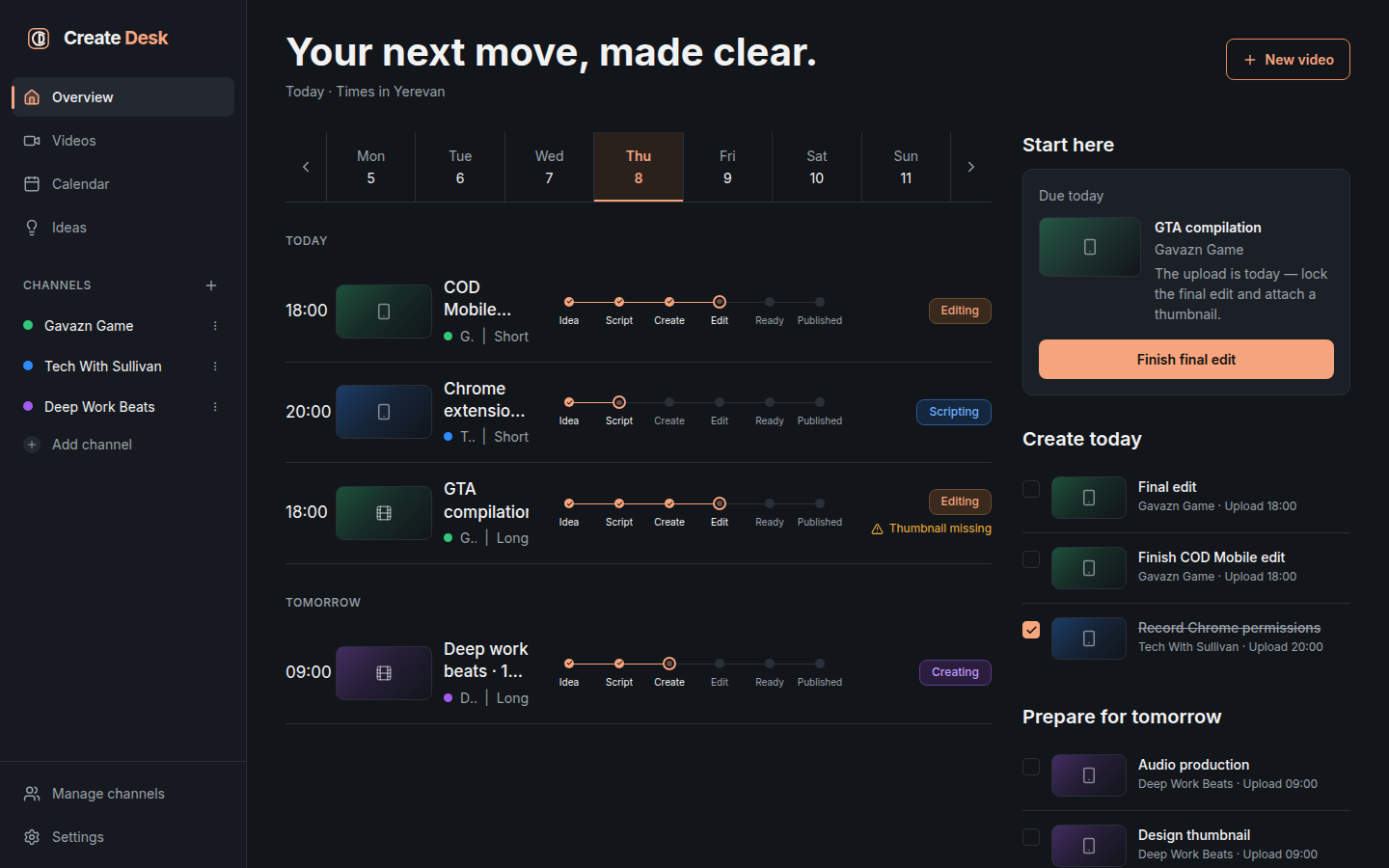
Create Desk Overview dashboard showing the weekly day strip, today's scheduled uploads with stage progress, and side panels for Start here, Create today, and Prepare for tomorrow.
01Create Desk Overview dashboard showing the weekly day strip, today's scheduled uploads with stage progress, and side panels for Start here, Create today, and Prepare for tomorrow.
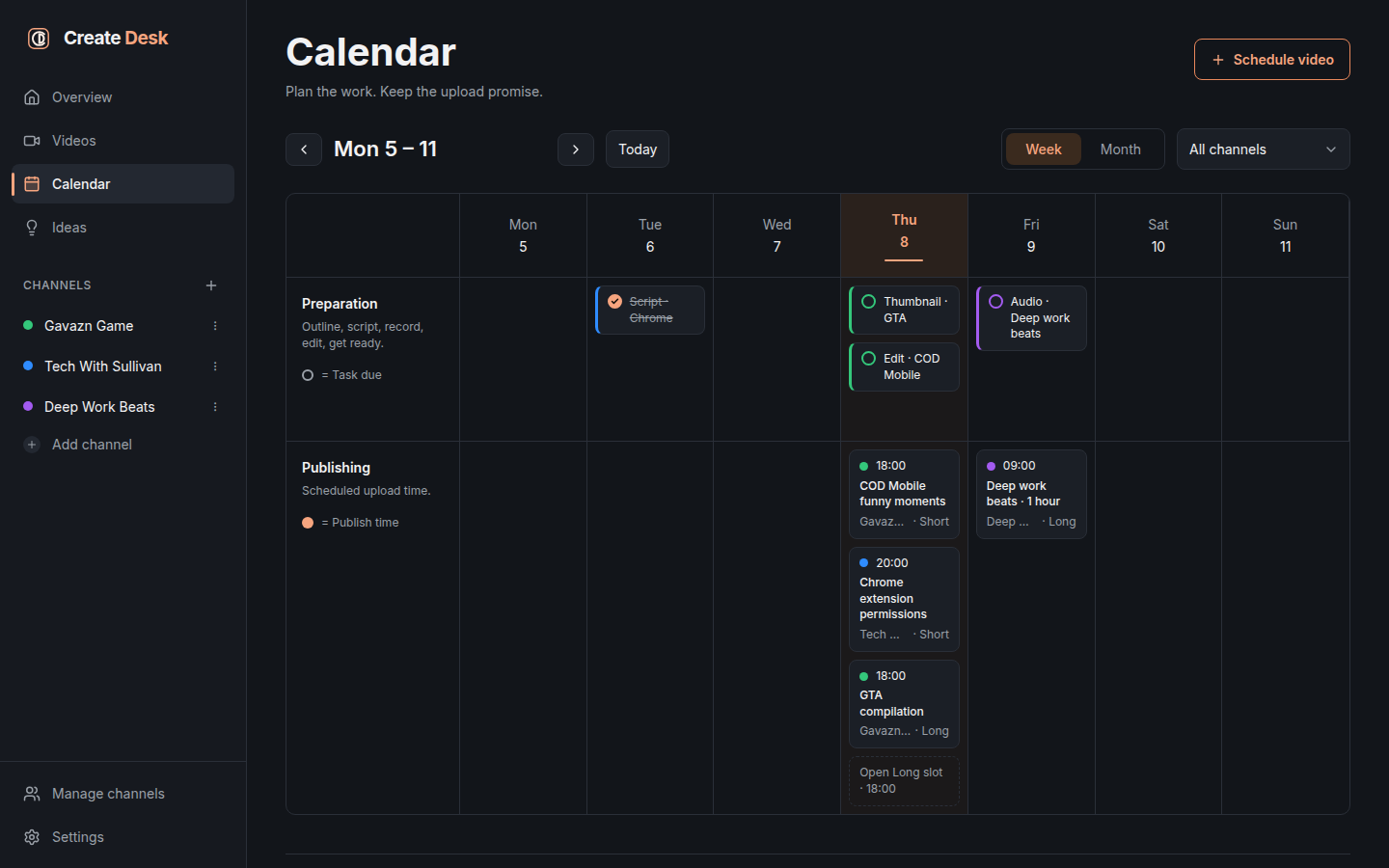
Create Desk weekly Calendar with drag-and-drop Preparation and Publishing lanes, showing scheduled uploads and task chips across the week.
02Create Desk weekly Calendar with drag-and-drop Preparation and Publishing lanes, showing scheduled uploads and task chips across the week.
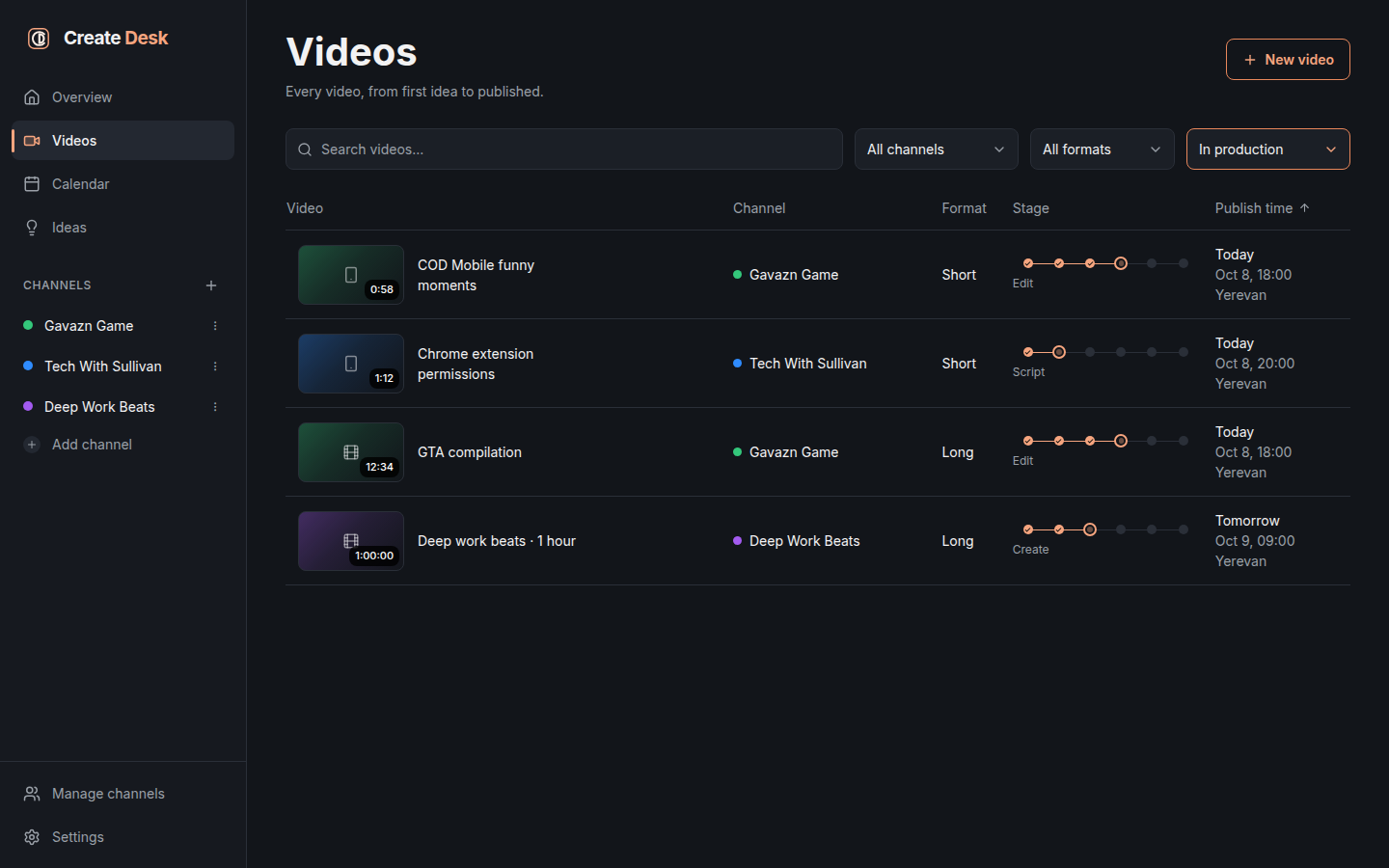
Create Desk Videos list — every video from idea to published, each row showing thumbnail, channel, format, stage tracker, and scheduled publish time.
03Create Desk Videos list — every video from idea to published, each row showing thumbnail, channel, format, stage tracker, and scheduled publish time.
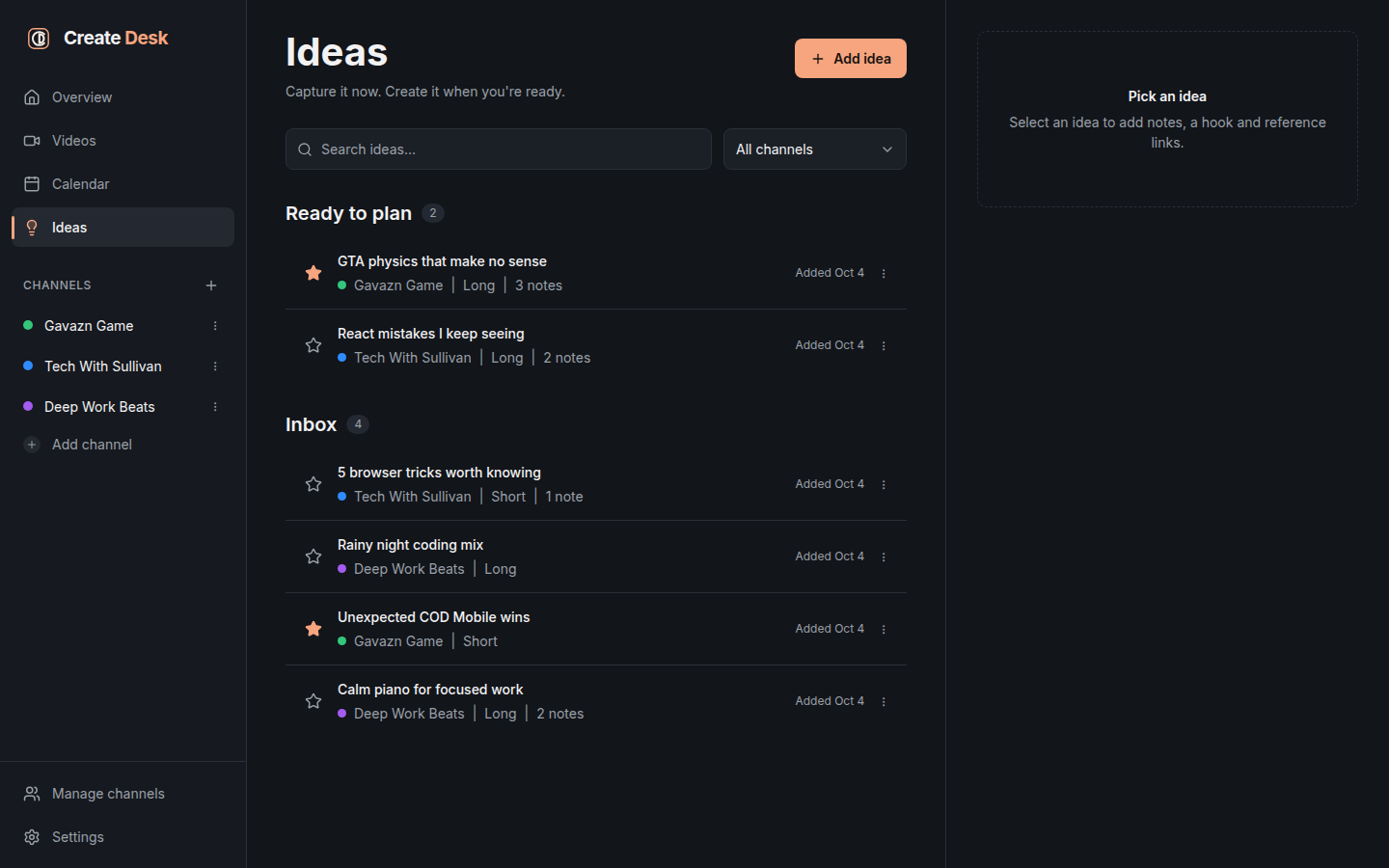
Create Desk Ideas board with Ready to plan and Inbox sections, video ideas grouped by channel with note counts and starred highlights.
04Create Desk Ideas board with Ready to plan and Inbox sections, video ideas grouped by channel with note counts and starred highlights.
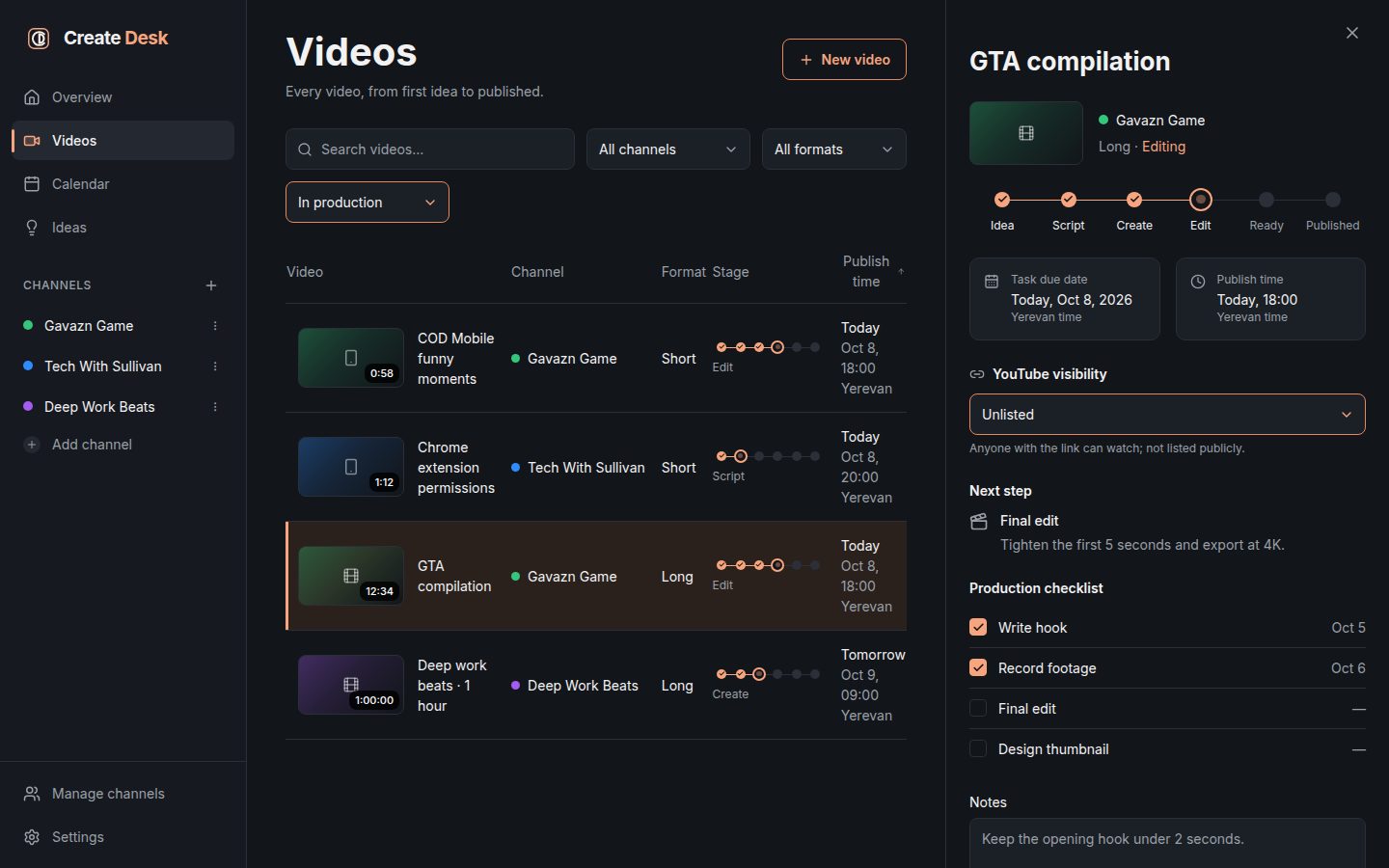
Create Desk video detail panel showing the Idea-to-Published stage tracker, YouTube visibility selector, production checklist, next step, and notes.
05Create Desk video detail panel showing the Idea-to-Published stage tracker, YouTube visibility selector, production checklist, next step, and notes.
§02Delivery targets03 configured

desktop-linux

Linux

Planned
Systems
Linux
Architecture
x64

Distribution details are being prepared.

desktop-macos

macOS

Planned
Systems
macOS
Architecture
universal

Distribution details are being prepared.

desktop-windows

Windows

Planned
Systems
Windows
Architecture
x64

Distribution details are being prepared.

§03Capabilities11 listed
  1. 01Multi-channel video pipeline: Idea to Script to Create to Edit to Ready to Published
  2. 02Drag-and-drop editorial calendar with week and month views
  3. 03Ideas inbox with quick capture and one-key new video
  4. 04Per-channel upload routines with automatic open-slot suggestions
  5. 05Public, Private and Unlisted visibility tracking for every upload
  6. 06Thumbnail management with automatic resizing
  7. 07Production checklists and next-step guidance for each video
  8. 08Timezone-aware scheduling across channels
  9. 09Local-first and private — your data never leaves your machine
  10. 10One-click backup and restore
  11. 11Fast, keyboard-friendly dark interface
§04Privacy and support

Product privacy

Product-specific privacy details are being prepared.

Help with this product