Pocket Alternatives in 2026: 5 Read-Later Apps by How You Read
Pocket is gone. Compare Instapaper, Raindrop.io, Readwise Reader, wallabag and Cairn by where your library lives, sync, highlights and Pocket imports.
Reading time
7 min
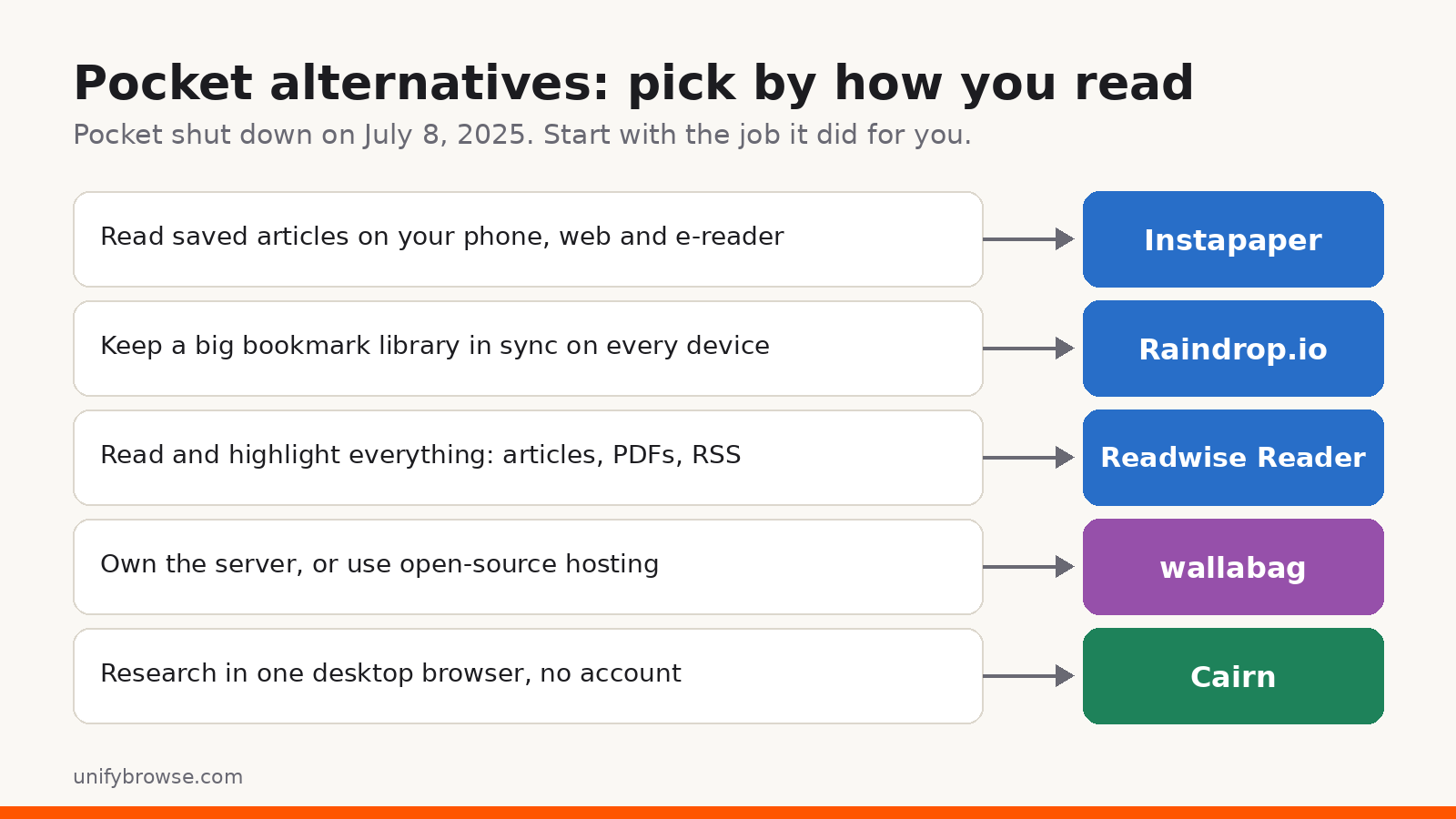
Mozilla shut Pocket down on July 8, 2025, and closed its data export page on November 12, 2025. There is no single "new Pocket": each app people moved to copies one part of what Pocket did well. This guide sorts five of them by the job you need done, so you can pick one without testing them all.
The short answer
- Instapaper if you mainly want to save articles and read them later on your phone, the web or an e-reader.
- Raindrop.io if you want a large, organized bookmark library that syncs across all your devices.
- Readwise Reader if you read a lot, highlight everything and want articles, PDFs, newsletters and RSS in one paid app.
- wallabag if you want open-source software you can host yourself, or hosted by the wallabag team.
- Cairn if you research mostly in one desktop browser and want your library stored on your own device, with no account.
Start with one question: where should your library live?
A read-later app can hold years of reading, and when the service ends, so does easy access to that library. Before you compare features, decide where your saved pages should live.
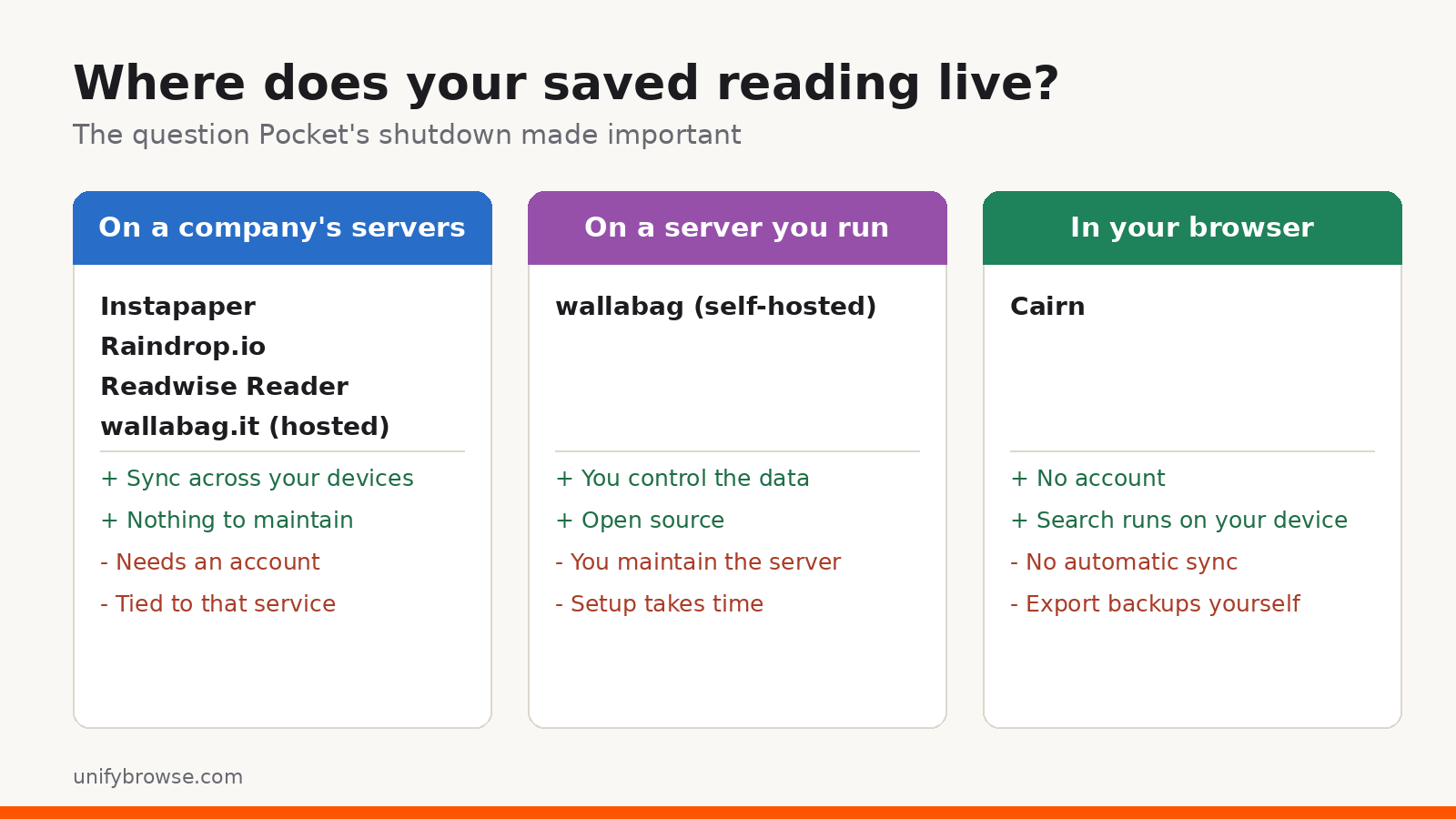
- On a company's servers. You get sync across devices and nothing to maintain. You need an account, and your library depends on that service staying around.
- On a server you run. You control the data and the software, but you also look after the server, updates and backups.
- In your browser. No account and no server, and search runs on your own computer. There is no automatic sync, so backups are your job.
The five Pocket alternatives at a glance
| Instapaper | Raindrop.io | Readwise Reader | wallabag | Cairn | |
|---|---|---|---|---|---|
| Best for | Reading articles later | Bookmark library | Heavy reading and highlights | Open source, self-hosting | Desktop research, no account |
| Where your library lives | Instapaper account | Raindrop.io account | Readwise account | Your server or wallabag.it | Your browser, on your device |
| Account needed | Yes | Yes | Yes | Yes | No |
| Phones | Yes | Yes | Yes | Yes | Not yet (mobile app coming soon) |
| Free option | Free plan | Free plan | 30-day trial | Free to self-host | Free |
| Highlights | Yes | Yes | Yes, a core feature | Annotations | Yes |
| Full-text search | Premium | Pro | Yes | Yes | Yes, on your device |
| Imports a Pocket export | Yes | Lists Pocket on its import page | Yes | Yes (Pocket CSV) | Pocket importer coming soon |
Plans and features change. Check each app's own pricing page before you pay.
Instapaper: the closest to Pocket's reading experience
Instapaper has been around since 2008 and does what Pocket did best: save an article, then read it later in a clean view without ads and clutter. It works on the web and has apps for iPhone and Android.
The free plan covers saving and reading. Instapaper Premium adds full-text search across everything you have saved, including archived articles, a permanent archive that keeps a copy of articles even if they disappear from the web, and unlimited notes (the free plan allows five notes a month).
Good fit if you mostly read on your phone and Pocket's reading view is what you miss.
Raindrop.io: a synced bookmark library
Raindrop.io is a bookmark manager more than a reading app. You save links from a browser extension and organize them into collections and tags, then open the same library on the web, desktop apps and mobile apps.
According to Raindrop.io's Pro page, the free plan gives you unlimited bookmarks and collections on unlimited devices, and you can collaborate with other people without paying. Pro adds full-text search, permanent copies of your bookmarks, more upload space, cloud backups and cleanup tools.
Good fit if your Pocket list was really a big pile of links you want sorted and available everywhere. For a closer look at how it compares with a local-first tool, see our Cairn vs Raindrop.io comparison.
Readwise Reader: for people who read and highlight everything
Readwise Reader puts saved articles, PDFs, EPUBs, email newsletters, RSS feeds and video transcripts in one place, with highlighting as the main feature. Highlights flow into Readwise, which can resurface them in a Daily Review and export them to note-taking apps such as Obsidian and Notion.
It runs on the web, iOS, Android, Mac and Windows, with extensions for Chrome, Firefox and Safari. Readwise's FAQ says Reader accepts a Pocket export file if you saved one before the shutdown. There is no free plan: you get a 30-day trial, and after that Reader is part of a paid Readwise subscription.
Good fit if reading is part of your work and you want highlights to end up in your notes.
wallabag: open source, hosted by you or for you
wallabag is open-source read-later software that has existed since 2013. You can install it on your own server, or pay for wallabag.it, the official hosted service, which is funded by subscriptions rather than ads.
wallabag saves the readable text of each article, not only the link, and supports tags, search, favourites and annotations. You can read on the web, Android, iPhone and e-readers, import from other services and export your articles whenever you want.
Good fit if the Pocket shutdown made you want software that can't be switched off on you.
Cairn: a local read-later library in your browser
Cairn is a free read-later extension for Chrome and Firefox from UnifyBrowse, the publisher of this blog. It takes the opposite approach to the cloud apps above: there is no account, and your library stays in your browser on your own device.
With Cairn you can:
- save pages, articles, selected text, images, links and supported videos
- keep a clean, readable copy of the article text for distraction-free reading
- highlight saved articles and pick up where you left off
- organize everything with nested collections, tags, notes, favorites and an archive
- search titles, URLs, notes, tags and saved article text, all on your device
- export your whole library to JSON and import it again later
Privacy, plainly. Your saved pages, article text and highlights stay in your browser. Cairn does send usage data by default, tied to a random install ID, so not everything stays on your computer. Our guide on what data browser extensions can see explains how to check any extension's permissions before you install it.
Trade-offs. For now Cairn is a browser extension only, with no automatic sync, so your library lives in the browser profile where you saved it. Cairn mobile and desktop apps are coming soon. If you clear that profile or lose the computer without a backup, the library goes with it, so export a JSON backup regularly. There are no shared collections either.
Moving from Pocket. A Pocket importer for Cairn is in development and coming soon. Until it is out, open the links from your Pocket export that you still care about and save them again, so Cairn keeps a readable copy of each one for search and highlights.
Good fit if you read and research mostly on one computer and would rather not keep it on someone else's service. For organizing ideas, see how to build a personal knowledge base in your browser.
What to do with your old Pocket export
If you exported before November 12, 2025, you have a CSV file of your saved links: links and some details, not full copies of the articles.
- Keep a copy of the file somewhere safe.
- Trim it. Open the CSV and delete what you no longer need. Most long Pocket lists are full of links you will never read.
- Import or re-save. Instapaper, Readwise Reader and wallabag say they import a Pocket export file. Raindrop.io lists Pocket on its import page and accepts CSV files that have a
urlcolumn. For Cairn, save the links again for now. Some old links will be dead; the Wayback Machine may still have a copy.
If you never exported, Pocket's data can't be recovered now. Your browser bookmarks and history may still help you find the articles that matter.
Frequently asked questions
Is Pocket coming back? No. Mozilla shut Pocket down on July 8, 2025, and closed data exports on November 12, 2025.
What is the best free Pocket alternative? For reading on a phone, Instapaper's free plan is the closest match. For a large synced bookmark library, Raindrop.io's free plan. For desktop research without an account, Cairn is free on Chrome and Firefox.
Which Pocket alternative works without an account? Of the five here, only Cairn. Self-hosted wallabag avoids a third-party account, but you still sign in to your own server.
Can I import my Pocket list into Cairn? Not yet. A Pocket importer is coming soon. For now, re-save the links you still want from your Pocket export.
Ready to try a local library? Get Cairn for Chrome or Firefox.
Filed underpocket alternativeread it laterraindrop.ioinstapapercairn
● More from the journal
- 01
How to Verify a SHA-256 Checksum on Windows, Mac and Linux
Check a download's SHA-256 checksum on Windows, macOS or Linux with built-in commands or in Chrome, and learn what a match does and doesn't prove.
GuideNovember 1, 2026 - 02
How to Download SoundCloud Cover Art in Full Size
Save SoundCloud cover art at the largest size that really exists: find the artwork URL, swap the size suffix for -original, and spot enlarged copies.
GuideOctober 28, 2026 - 03
Best SoundCloud Extensions for Chrome and Firefox (2026)
Six SoundCloud extensions for Chrome and Firefox, picked by job: feed filters, dark theme, popup players, downloads with tags, and history. Checked Oct 2026.
ListicleOctober 28, 2026