Short answer: Know when the big releases are, decide before the release whether you'll hold, reduce or stay flat, size any position for the wider moves and slippage that news can bring, and set a daily loss limit you won't argue with. Then write down what happened, so the next CPI day is less of a guess.
On November 10, 2026, the U.S. Bureau of Labor Statistics published October's Consumer Price Index. Prices rose 0.4% for the month against forecasts of 0.3%, according to FXStreet. Bitcoin fell to around $73,000, its weakest level since August 20, as stocks turned lower, CoinDesk reported, and FXStreet cited Coinglass data showing $716 million in crypto futures liquidations over 24 hours, most of them long positions.
You don't need to predict the number to protect yourself from days like that. You need a plan made before the release.

What counts as high-impact news
Economic calendars rank events by expected impact. The ones that most often move indices, currencies and crypto include:
- Inflation: CPI and PCE in the U.S., and the equivalent releases elsewhere.
- Jobs: the U.S. employment report (non-farm payrolls) and unemployment figures.
- Central bank decisions: interest-rate announcements and the press conferences after them.
- Growth: GDP releases and major business surveys.
The timing is published well in advance. The BLS CPI release schedule lists the next report, covering November 2026, for Thursday, December 10, 2026, at 8:30 AM Eastern Time. The report after that, for December 2026, is scheduled for January 13, 2027. Time zones are where people get caught out: 8:30 AM in New York is 13:30 UTC in December, and the local time for you depends on where you live and on daylight saving changes.
What actually changes around a release
Three things make news releases different from ordinary hours:
- Bigger moves in less time. The price can travel further in a few minutes than it does in an average hour.
- Thinner liquidity and wider spreads. Just before and just after the release, fewer orders sit near the current price. The gap between the buy and sell price can widen.
- Slippage on stops. A standard stop (stop-market) order becomes a market order once it's triggered. If the price jumps past your stop, you're filled at the next available price, which can be well beyond where you planned to exit. On leveraged products, a big enough jump can reach the liquidation price first.
None of this makes news days off-limits. It means the risk on a position can be larger than your stop distance suggests, and your sizing should allow for that.
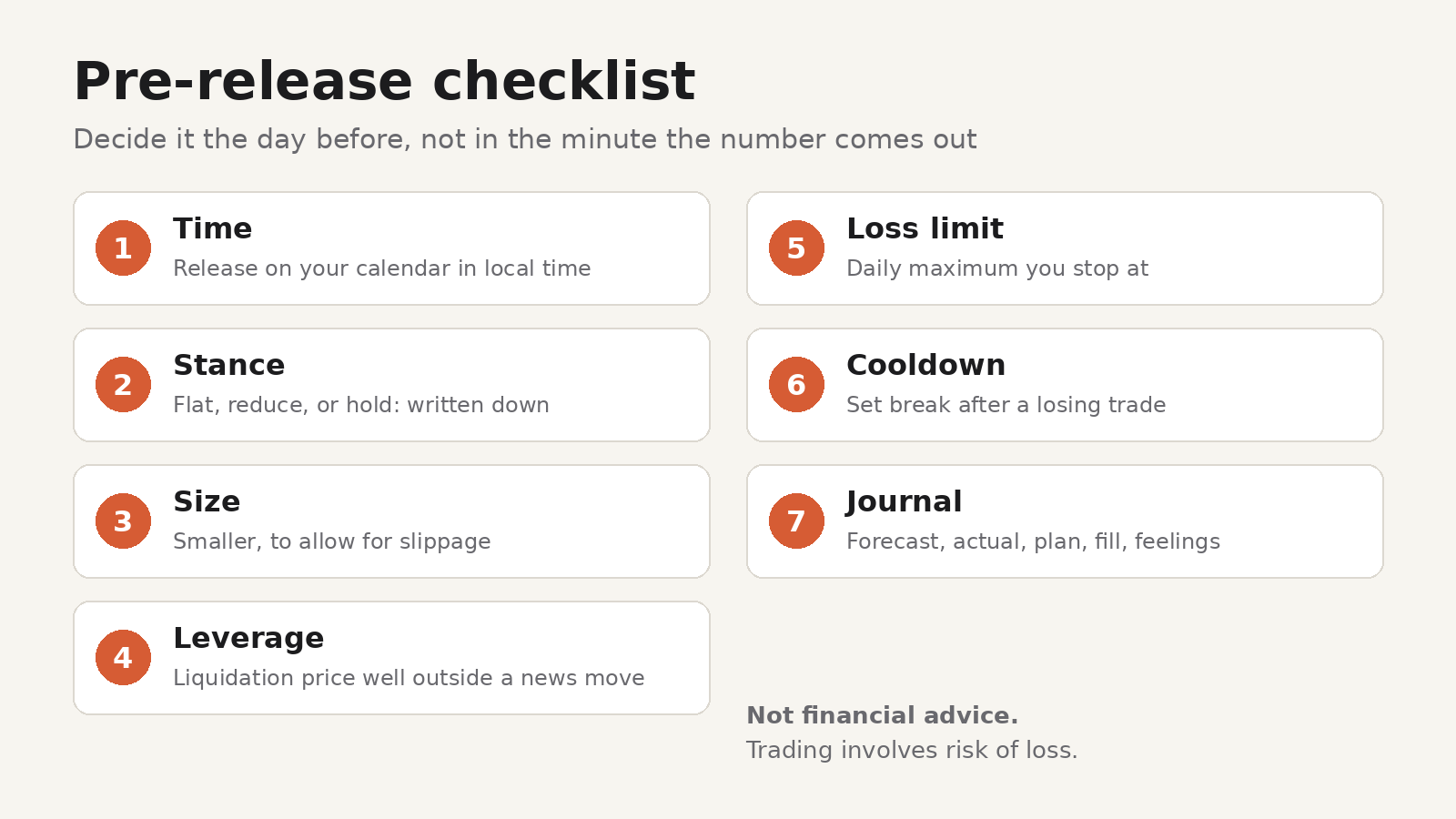
A pre-release checklist
Work through this the day before or the morning of a big release.
1. Know the time, in your own time zone
Put the release on your calendar in local time. Note anything else scheduled close by, such as a central bank speaker the same afternoon.
2. Decide your stance in advance
Pick one of three before the release, not during it:
- Stay flat until the first move has settled.
- Reduce open positions to a size you can live with if the price jumps.
- Hold with a stop placed where you'd accept being wrong, knowing it may fill worse.
Writing the choice down keeps you from improvising in the minute the number comes out.
3. Size for the wider range
Position size starts with how much of your account you're willing to lose on the trade and how far away your stop is. Around news, assume the real loss could be larger than the stop distance, and size down to compensate. Smaller size also gives you room to keep a wider stop without risking more money.
4. Check leverage and liquidation
If you trade with leverage, check how far the liquidation price is from your entry. If a move the size of a normal news reaction would reach it, the position is too large for the event.
5. Set a daily loss limit
Pick the most you're willing to lose in one day, and stop trading when you reach it. A limit set in a calm moment is easier to follow than a decision made after two losing trades in five minutes.
6. Plan a cooldown
Losing trades around news are often followed by quick re-entries to "win it back". Decide now that after a loss you'll step away for a set time, for example 30 minutes, before taking another trade.
After the release: write it down
The most useful data you'll have about trading news is your own. After each big release, record:
- What the release was, the forecast and the actual number.
- What you planned to do, and what you actually did.
- Entry, exit, stop and the fill you got, including any slippage.
- How you felt before and after the trade.
- A screenshot of the chart before, during and after.
After a few months you can look back and see whether news days help or hurt your results, and whether you follow your own plan when it counts.
Doing this inside TradingView with TradeDesk
TradeDesk is a browser extension for Chrome and Firefox, made by UnifyBrowse, that adds a sidebar to TradingView. Several of the steps above map directly to its features:
- Risk calculator: size positions for stocks, forex, crypto, futures and CFDs, with the risk-to-reward ratio shown as you plan.
- Pre-trade checklist: an editable list you go through before entering. You can add your news rules to it, such as "Checked today's calendar" or "Size reduced for news".
- Discipline guardrails: a daily loss limit and a post-loss cooldown.
- Trading journal: log trades with before, during and after screenshots, tags, emotions and notes, then search and filter them later. The Free plan holds up to 100 trades.
- Market sessions and world clocks: see which markets are open in your time zone.
All of that is in the Free plan, and the data is stored locally on your device. Pro adds an economic calendar with ForexFactory high-impact events (impact, forecast and previous values, filterable by currency, impact level and your active chart symbol, shown in your time zone), optional browser notifications before matching events, and a soft warning in the calculator when a major event for your symbol is close. Pro also removes the journal cap and adds analytics by session, time of day, weekday, setup, symbol and emotion. Pro costs €8.99 a month or €79 a year; see TradeDesk pricing.
TradeDesk is a planning and journaling tool, not financial advice. Trading involves risk of loss.
FAQ
What time is the CPI release?
U.S. CPI is published at 8:30 AM Eastern Time. The next release, for November 2026, is on Thursday, December 10, 2026, according to the BLS schedule. Convert that to your own time zone when you add it to your calendar.
Why do stop-losses fill worse during news?
A triggered stop-market order becomes a market order. If the price jumps past your level because there are few orders in between, the order fills at the next available price. The difference is called slippage.
Should I close all my trades before CPI?
That's a personal decision based on your strategy and how much risk you accept. What matters is deciding before the release and sizing any open position so that a larger-than-normal move doesn't break your daily loss limit.
Where can I see upcoming high-impact events?
Economic calendars such as ForexFactory list scheduled releases with their expected impact, forecast and previous values. Official agencies, such as the BLS for U.S. CPI, publish their release dates months ahead.