Short answer: No, a comma won't protect your password. It can confuse a badly made CSV file, but a correctly written CSV keeps a comma inside a single field, and well-run services don't store your password as readable text in the first place. They store a hash, and your password's comma doesn't survive hashing. What protects you in a leak is a long, unique password for every account, a password manager and two-factor authentication.
Where the tip came from
This week, an X user posted in Portuguese: always put a comma in your passwords, because if they ever end up in a leak, it will break the CSV. He tagged Grok to confirm. The post spread fast. According to figures shared by AGTP Insights and reported by the Hindustan Times, it reached about 5.7 million views and 8,500 quote posts, and copies appeared in Spanish, Japanese, Korean and Chinese.
The tip sounds clever because it's based on something real. It just doesn't hold up once you look at how leaks actually work.
The part that's true: commas and CSV files
CSV stands for comma-separated values. Each line is a row, and commas split it into columns:
email,password,created
maria@example.com,sunflower42,2026-11-12
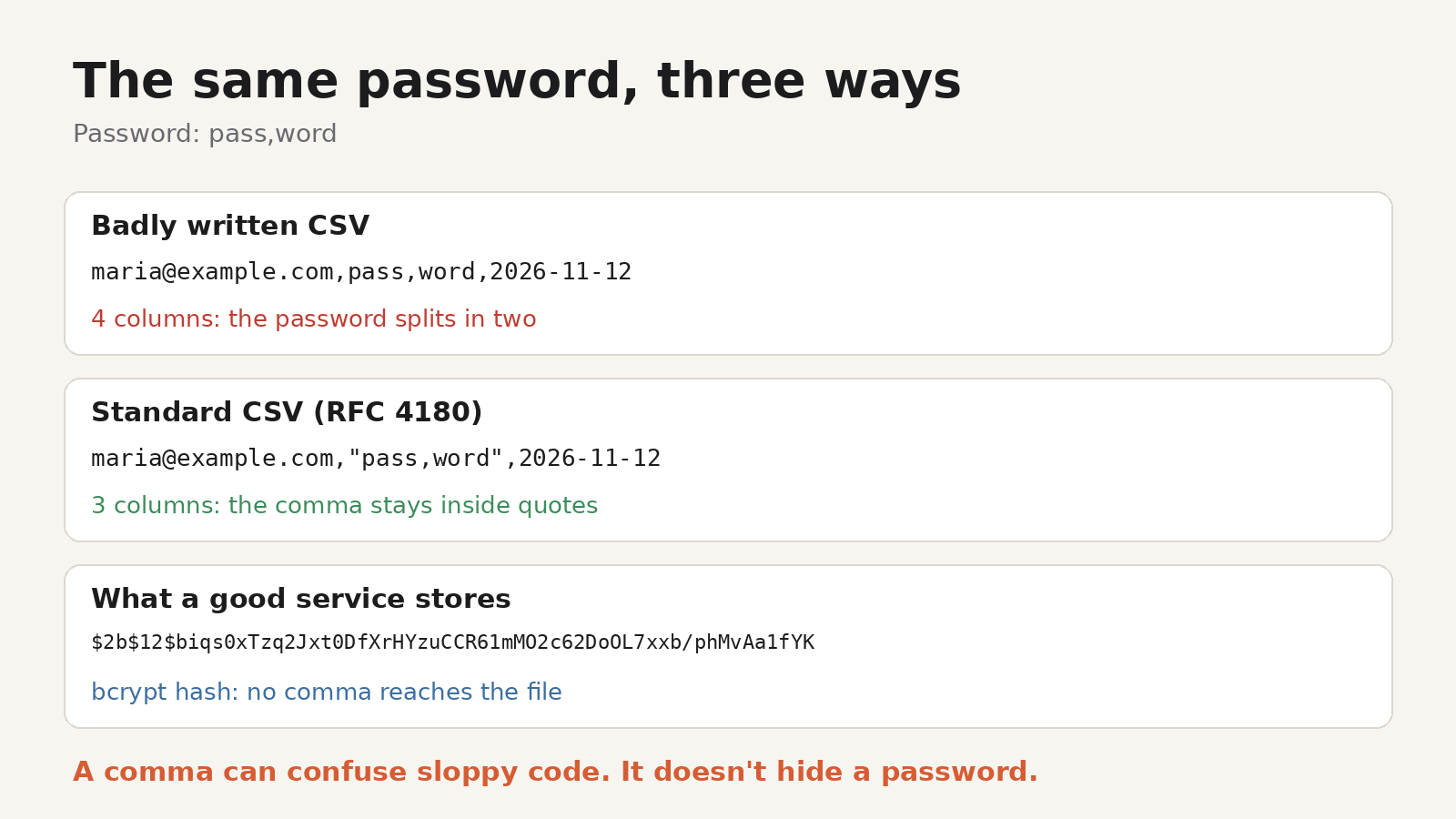
Now imagine the password is pass,word and the program writing the file just glues the values together with commas:
maria@example.com,pass,word,2026-11-12A program reading that line sees four columns instead of three. The password looks like pass, and word lands in the date column. That's the trick the viral post describes.
Why it fails in practice
1. Proper CSV files handle commas
The CSV format has a standard answer for this. RFC 4180, the document that describes the format, says fields containing commas should be enclosed in double quotes. Any standard CSV library does this automatically. We ran the example through Python's built-in csv module, and it wrote:
maria@example.com,"pass,word",2026-11-12Reading it back gives exactly three fields, with pass,word intact. Spreadsheet apps and database export tools do the same. To break, the file would have to be written by hand-rolled code that ignores the standard.
2. Even a broken file is easy to repair
Suppose a leak really was written badly. The person reading it can see that some rows have one column too many, and in a three-column file there's only one sensible way to put them back together. A comma might cost an attacker a few seconds. It doesn't hide your password.
3. Leaks often aren't CSV at all
Stolen data comes in many shapes: database dumps, SQL files, JSON, plain text lists. A comma means nothing special in most of them.
4. Your password shouldn't be in the file as text
This is the big one. A well-run service doesn't store your password. It stores a hash: the output of a one-way function that turns your password into a fixed-format string. The OWASP Password Storage Cheat Sheet recommends slow, salted algorithms such as Argon2id, scrypt or bcrypt for this.
Here's what happens to pass,word when it's hashed. We generated these on our own machine:
- SHA-256:
9b982e9e7746793d3c5785b8a99af49cf88b228f0f2f43948d4003c628ac427c - bcrypt (cost 12):
$2b$12$biqs0xTzq2Jxt0DfXrHYzuCCR61mMO2c62DoOL7xxb/phMvAa1fYK
There's no comma in either. A SHA-256 hash only ever contains the characters 0–9 and a–f. A bcrypt hash uses letters, digits, ., / and $. Whatever characters you put in your password, the stored hash looks the same kind of way, so the comma never reaches the leaked file. (Plain SHA-256 is shown only because it's easy to recognise; it's too fast for storing passwords, which is why OWASP recommends the slower algorithms.) Some hash formats such as Argon2id contain commas in their parameters, for example m=65536,t=3,p=4; those commas are part of the stored hash, not your password.
5. Many attacks never touch a leaked file
Phishing pages and info-stealing malware capture your password as you type it or as your browser fills it in. Attackers then try it directly on other sites. Punctuation doesn't matter to any of that.
Could a comma ever cause problems?
For you, occasionally. Most sites accept commas, and the US National Institute of Standards and Technology's password guidance, NIST SP 800-63B, says services should accept all printing ASCII characters and the space character. But some older systems still reject certain symbols, and if you export your passwords from a browser or password manager to move them somewhere else, the export is itself a CSV file. Standard tools quote those fields correctly, so a comma is fine; just delete any password export once you've imported it, because it's readable by anyone who opens it.
So a comma is harmless. It's just not protection.
What actually protects you in a leak
The things that work are less viral but more effective:
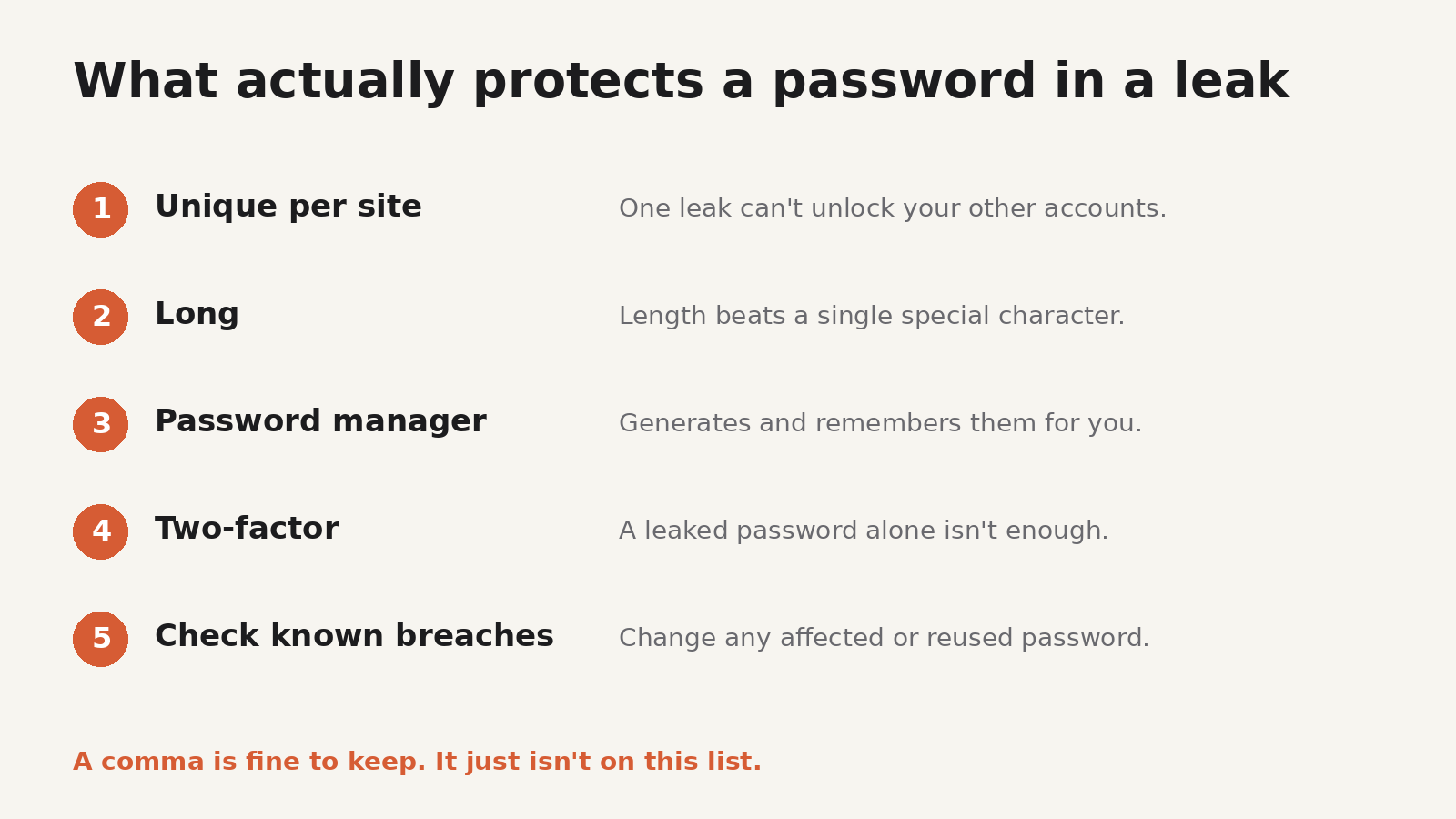
- Use a different password for every account. When one site leaks, attackers try the same email and password on other sites. A unique password limits the damage to one account.
- Make it long. NIST SP 800-63B tells services to require at least 15 characters for a password that's used on its own, without a second factor. Length matters far more than one special character.
- Use a password manager. It makes dozens of long, unique passwords manageable. Let it generate them.
- Turn on two-factor authentication, preferably an authenticator app or a passkey, so a leaked password alone isn't enough.
- Check whether you've been caught up in a leak. Have I Been Pwned lets you search your email address against known breaches. Change the password for any affected account, and anywhere you reused it.
If you find a hash and want to know what it is
If you work with your own systems, or you're looking at data from a breach notice, the format of a hash usually tells you how it was made. Our guide to what a leaked password hash means explains why a bcrypt hash is much harder to crack than an unsalted MD5 one.
To check an unknown hash quickly, HashLens, a Chrome extension made by UnifyBrowse, identifies it from its format. Paste a hash and it suggests the likely algorithm (MD5, SHA-256, bcrypt, NTLM, Argon2 and 20+ more), shows the matching Hashcat mode and John the Ripper format, and gives each algorithm a Secure, Weak or Broken rating with a plain-English reason. It can also generate hashes from text, so you can see for yourself that pass,word comes out with no comma. It runs locally in your browser and is free. Some formats fit more than one algorithm, so treat the result as a list of likely candidates; our guide on how to identify a hash type explains the patterns.
The takeaway
The comma tip is a fun bit of CSV trivia, not a security measure. Keep the comma if you like it. Then do the boring things that work: a long, unique password for every account, kept in a password manager, with two-factor authentication turned on.