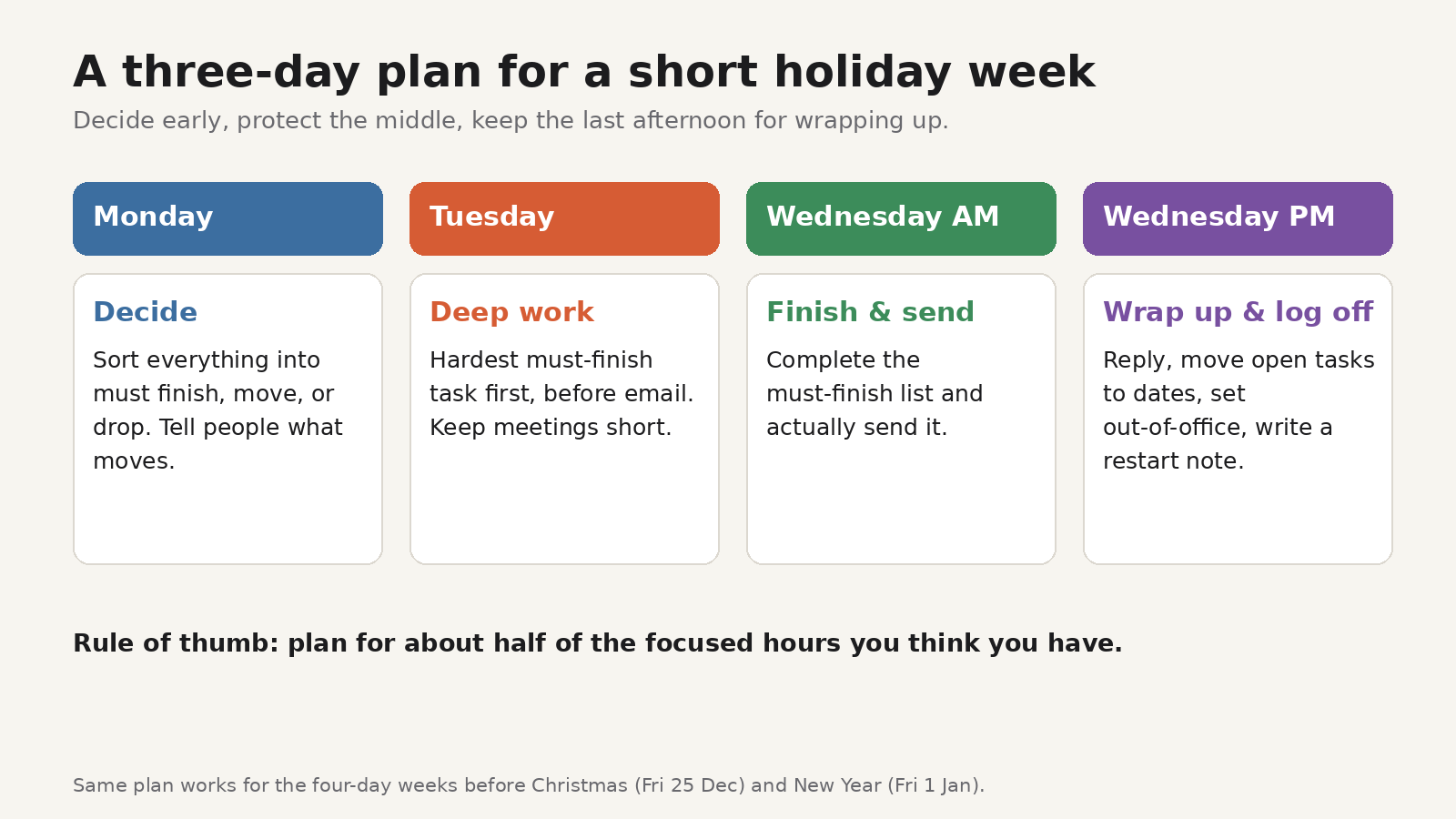
Short answer: A short week isn't a normal week with fewer days. It's a normal week's worth of expectations squeezed into three or four days. On the first morning, decide what must be finished before you leave, hand off or postpone the rest out loud, keep your last afternoon for wrapping up, and write down where everything stands so you can stop thinking about it. The rest of this guide turns that into a plan you can use in a short holiday week — this Thanksgiving week, and again before Christmas and New Year.
Why short weeks feel so heavy
In the US, Thanksgiving falls on Thursday, 26 November this year, and the federal holiday schedule lists it alongside Christmas Day on Friday, 25 December. Many people also take the Friday after Thanksgiving off, which leaves three working days. Online, the mood this week is a mix of jokes about doing the bare minimum and quiet panic about everything that "has to" be done before the break.
Both reactions come from the same problem. Work that would normally spread across five days doesn't shrink on its own, and everyone else is trying to finish their things before the holiday too, so requests pile up on Tuesday and Wednesday. Without a plan, you end up working late on Wednesday and spending Thursday half-thinking about unread email.
The fix isn't to work faster. It's to decide earlier, and more honestly, what this week is for.
Monday: decide what this week is for
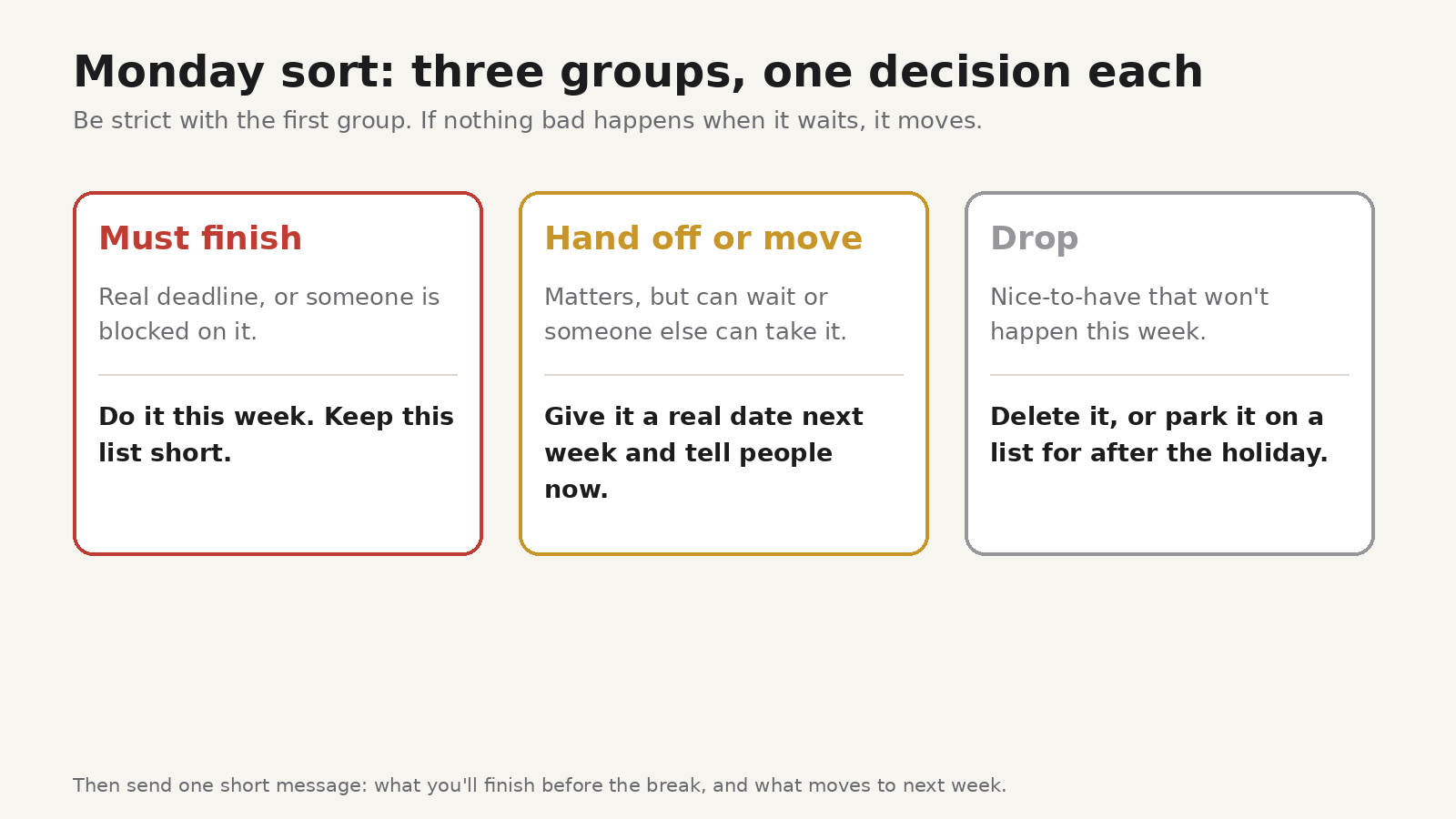
Start with a list of everything that's on your plate, then sort it into three groups:
- Must finish before the break. Things with a real deadline, or that someone else is blocked on. Be strict: if nothing bad happens when it waits until Monday, it isn't on this list.
- Hand off or move. Things that matter but can wait, or that someone else can take. Move their due dates to next week now, rather than letting them sit as "overdue" in your head.
- Drop. Nice-to-haves that won't get done this week. Delete them or park them somewhere you'll see after the holiday.
For a three-day week, the must-finish list should be short. A useful rule of thumb: count the hours you'll really have for focused work after meetings, then halve your estimate of what fits. Holiday weeks are full of interruptions, and estimates are usually optimistic anyway. If you track how long tasks take, look at how much you got done last week and use that, not your hopes. Our guide to estimated vs actual time explains why the gap is normal and how to close it.
Then tell people. A two-line message on Monday ("I'll finish X and Y before Thursday; Z moves to next Monday") saves you from five "just checking" messages on Wednesday.
Tuesday: protect the deep work
Tuesday is usually the only full, calm day you'll get. Put the hardest must-finish task first, before email. If meetings are optional this week, decline or shorten them; many people will be happy to have time back.
A timer helps more than willpower here. Work in short, focused blocks, such as 25 minutes on and 5 off, and keep a scrap list next to you for anything that pops into your head ("reply to Sam", "book the train"). Write it down and get back to work; you'll deal with the list later. If starting is the hard part, our piece on task paralysis has a few ways to get moving.
Wednesday: finish, then wrap up
Split the last day in two.
Morning: finish and send. Complete what's left on the must-finish list and send it. Sending matters: a finished report sitting in your drafts still feels unfinished.
Afternoon: wrap up. Don't start anything new after lunch. Use the time for the things that let you switch off:
- reply to anything waiting on you, even if the reply is "I'll get to this on Monday";
- move every open task to a real date next week;
- set your out-of-office with the date you're back and who to contact if it's urgent;
- write a short restart note (more on that below);
- close your work apps, and log out of work chat on your phone if you can.
The restart note: how to actually stop thinking about work
Unfinished tasks have a habit of following you into the holiday. Psychologists E. J. Masicampo and Roy Baumeister studied this in a 2011 paper titled "Consider it done!". In their experiments, unfulfilled goals kept intruding on people's thoughts, but making a specific plan for those goals reduced the interference, even though the goals were still unfinished.
In practice, that means your brain mostly needs to know the task has a next step and a time. A restart note gives it exactly that. Before you log off, write three or four lines:
- Where I left off: "Draft of the Q4 summary is done; numbers for December still missing."
- First thing on Monday: "Get December numbers from Priya, then finish section 3."
- Waiting on: "Legal's reply on the contract."
- Don't forget: "Book the room for the 3 December review."
It takes five minutes, and on Monday you won't lose the first hour working out where you were.
The same plan for Christmas and New Year
This year Christmas Day and New Year's Day both fall on a Friday, so the weeks of 21 and 28 December have four working days each for many people, and often fewer, with time off around them. The plan is the same, just with more room:
- Do the Monday sort a few days earlier, because more people will be away, and replies slow down.
- Put anything that needs someone else's approval at the start of the week.
- Leave the last afternoon before each break for wrapping up, as above.
- Keep a single list of "things for January" rather than leaving them scattered across email and chat.
Planning the week in Todofy
Todofy is our task and calendar app for macOS, Windows and Linux. It's a desktop app, so it suits people who plan their work at a computer. For a short week, the parts that help most are:
- Quick-add from anywhere with Ctrl+Alt+A, even from the tray. Type a task with its date, time, priority and label in one line, and Todofy picks them out as you type, which makes the Monday sort quick.
- Today and Upcoming views with an overdue rollup, so moved tasks show up on the day you gave them, not before.
- Task estimates with a live overrun warning, so you notice on Tuesday that the "one-hour" task has taken three.
- A Pomodoro timer and per-task stopwatch that keep running in the tray while you work.
- Journal entries in Markdown with day summaries, a natural home for your restart note.
- Recurring tasks and reminders, handy for a "wrap up and set out-of-office" reminder before every holiday.
Your tasks are stored in a local database on your device, and Todofy works without an account or an internet connection. Account sync and a one-way Google Calendar push are optional. Todofy has a free plan, and Todofy Pro costs €3.99 a month or €39 a year.
FAQ
How many tasks should I plan for a three-day week? Fewer than you think. Count your realistic hours of focused work, then plan for about half of that. You can always pull something forward if you finish early.
What should an out-of-office message say? The date you're back, who to contact for anything urgent, and nothing else. It isn't a promise to reply quickly when you return.
Is it bad to check email during the holiday? It's your call, but decide before you leave. If you'll check once a day, pick a time and keep it short. A restart note makes it easier not to.
Does this work for a four-day week too? Yes. Keep the same three steps: sort on day one, protect the middle for deep work, and keep the last afternoon for wrapping up.