Short answer: Getting started is a separate skill from doing the work, and when it fails, more willpower rarely fixes it. What helps is making the start smaller and more concrete: write the very first physical action, set a short timer, decide the start time in advance, and give yourself a visible sign that you've begun. None of this is a cure, but each one lowers the step you have to climb.
Over the weekend a post about "executive paralysis" spread on X: someone standing in a messy kitchen, phone in hand, unable to begin. The replies split readers between people who recognised themselves instantly and people who called it an excuse. The most useful replies weren't arguments at all. They were tiny tricks, like sorting the dishes into cups, plates and cutlery first, so the job stops being one big thing.
That instinct is right. This guide explains why starting can be so hard and collects practical ways to make it easier, whether or not you have ADHD.
Why starting is its own problem
Psychologists group skills like planning, working memory and getting started under the label "executive function". CHADD, the US ADHD organisation, lists task initiation, which it defines simply as "getting started on something", as one of those core skills, alongside planning and organising, in an article on executive function and ADHD. It also notes that people with weak executive function skills can have trouble "breaking down steps into parts and following them".
Two points from that article are worth keeping in mind:
- It isn't only ADHD. CHADD says executive function problems are strongly connected to ADHD but can also come with anxiety, depression and other conditions, and can show up temporarily under stress. Plenty of people without ADHD freeze in front of a task.
- Strategies help, but they aren't treatment. If getting stuck is affecting your work or life, CHADD's advice is to talk to a professional, because the right help depends on the cause.
So the tips below are about the mechanics of starting. They work by shrinking the decision you have to make in the moment.
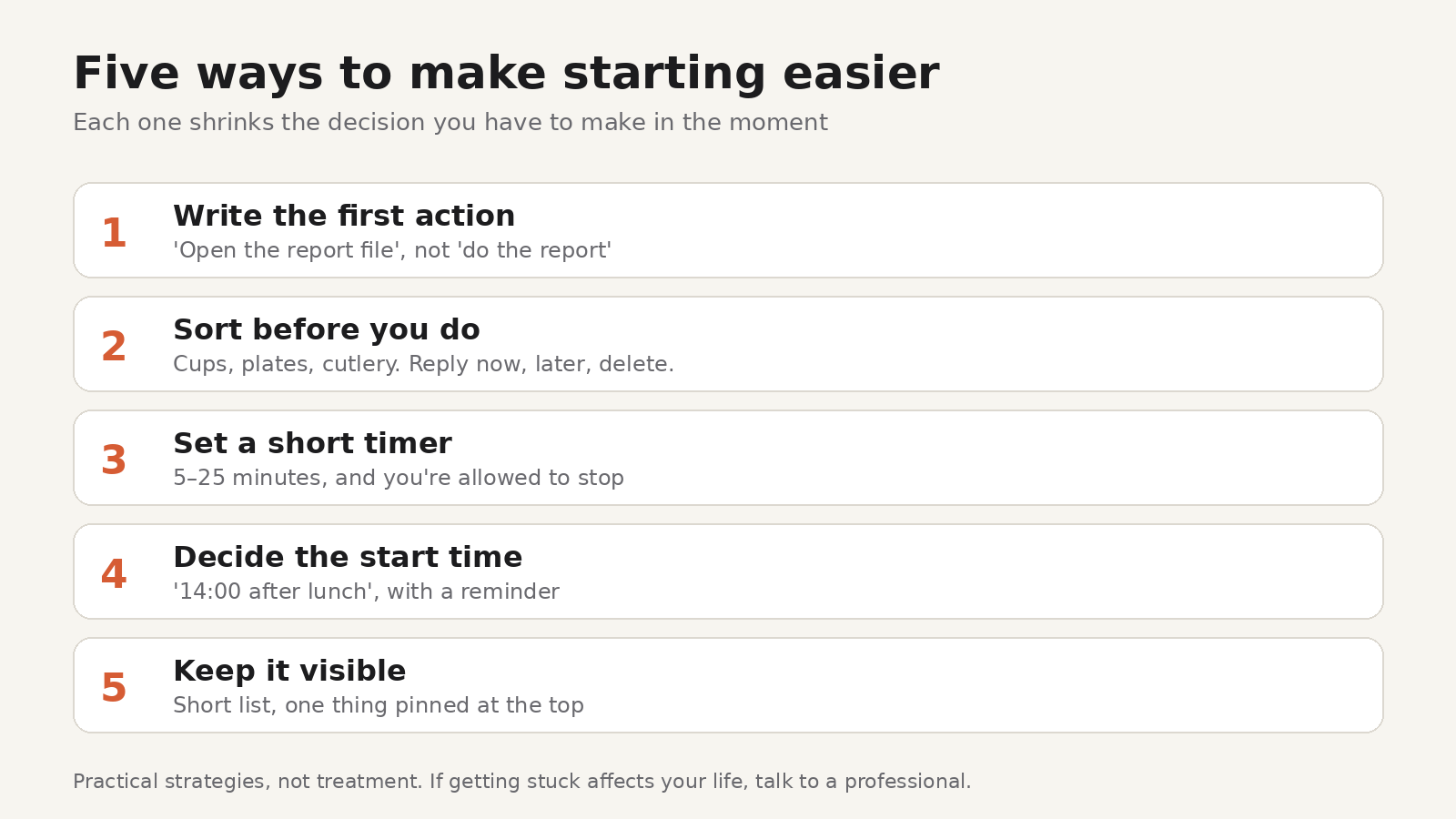
1. Write the first physical action, not the task
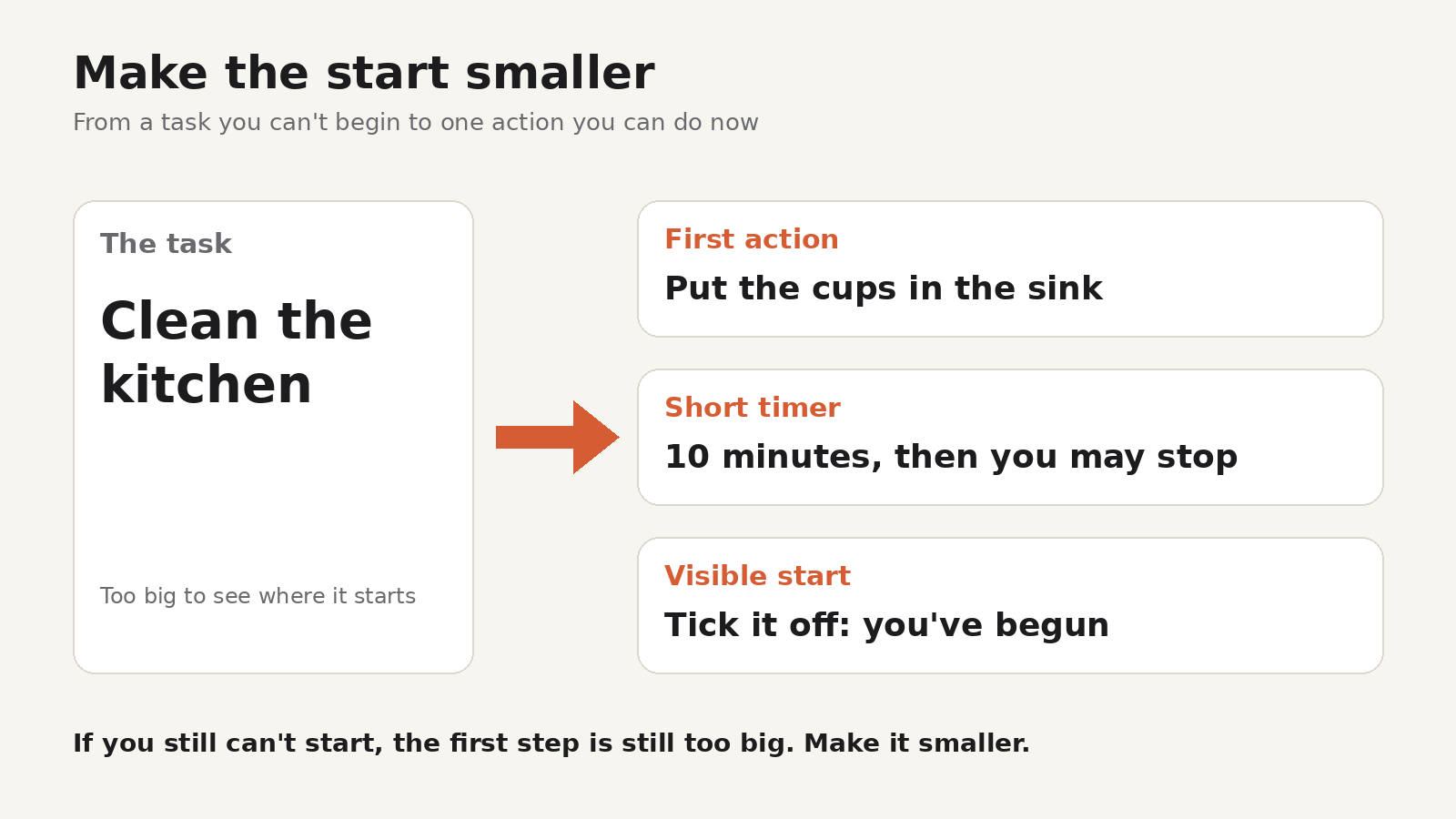
"Clean the kitchen" is a project. "Put the cups in the sink" is an action. When a task feels impossible, the problem is often that your brain can't see where it begins.
Rewrite the task as the first thing your hands would do: "open the laptop and open the report file", "take the bills out of the drawer", "type the subject line of the email". If you still can't start, the step is still too big. Make it smaller.
2. Sort before you do
The dishes trick from the thread works because sorting is easier than doing. You don't have to decide anything except "which pile?". Sorting emails into reply now, reply later and delete, or splitting a messy document into sections, gives you momentum and a plan at the same time.
3. Set a short timer and allow yourself to stop
Commit to five or ten minutes, not to finishing. When the timer ends, you're allowed to stop. Often you won't want to, because the hardest part was the start. A Pomodoro timer works well here: 25 minutes is long enough to make progress and short enough to feel possible. If 25 feels like too much, start with 10.
4. Decide when, not just what
"I'll do it later" leaves the hardest decision for later. "I'll start the report at 14:00, right after lunch" makes it a plan. Put the start time somewhere you'll see it, and set a reminder for it. When the reminder fires, the only job is step one.
5. Make the task visible
A task you can't see is easy to avoid and easy to forget. Keep today's list short and in front of you, with the one thing you're starting at the top. Pin it, star it, or write it on a sticky note on the screen. Out of sight really does tend to mean out of mind.
6. Remove one obstacle before you start
If the phone is the trap, put it in another room for the first timer. If the task needs a file you can't find, make "find the file" the first task. Removing one specific obstacle is more effective than trying to clear your whole environment, which can turn into its own way of not starting.
7. Start badly on purpose
Perfectionism and fear of getting it wrong can keep you frozen. Give yourself permission to write a terrible first paragraph, a messy outline, or a rough sketch. You can fix a bad start. You can't fix one that doesn't exist.
8. Keep a record that you started
A visible trace of progress makes the next start easier. Tick off subtasks as you go, note how long you worked, or write one line at the end of the day about what you got done. On a bad day, "worked 15 minutes on the report" is still a start, and seeing it written down is evidence that you can do it again.
Doing this in Todofy
Todofy is our task and calendar app for Windows, macOS and Linux. Several of the ideas above are built into it, according to its product page:
- Subtasks with a progress bar. Break a task into first actions (tip 1) and watch the bar move as you tick them off (tip 8).
- Quick-add from anywhere. Press Ctrl+Alt+A, even from the tray, and type something like "start report tomorrow 14:00". Todofy parses the date, time, priority and label as you type (tip 4).
- Pomodoro and a per-task stopwatch. Start a short focus timer on the task in front of you (tip 3). Both keep running in the tray, and the time you track stays visible on the task after you complete it (tip 8).
- Reminders from the tray. Reminders can snooze and use a custom sound with escalating volume, so the start time doesn't slip past (tip 4).
- A Today view with pinning and P1 to P4 priorities. Keep the one thing you're starting at the top of a short list (tip 5).
- Journal entries. Write that one line about what you did today, in Markdown, with a mood rating (tip 8).
Your tasks live in a local SQLite database on your computer, so they open without an internet connection, and account sync is optional. You can download Todofy for macOS, Windows or Linux from the Todofy product page, which lists a SHA-256 checksum for every download.
If losing track of time is part of the problem, our guide to making time visible while you work goes deeper on timers and estimates, and estimated vs actual time shows how to make your estimates more realistic.
FAQ
What is task paralysis?
It's an informal name for being unable to start a task even when you want to. It's not a diagnosis. Difficulty starting tasks, called task initiation, is a recognised part of executive function and is common in ADHD, but it can also come with stress, anxiety or depression.
Is task paralysis the same as procrastination?
They overlap. Procrastination usually means putting a task off. Task paralysis describes the feeling of being stuck at the start, sometimes while very much wanting to do the task.
What's the fastest way to get unstuck?
Shrink the task to its first physical action and set a timer for five or ten minutes. You're only committing to begin.
When should I get help?
If getting stuck regularly affects your work, studies or relationships, talk to a doctor or mental health professional. The right support depends on the cause.