Short answer: Black Friday is on 27 November 2026, but the sales have already started. Amazon's Black Friday Week and Best Buy's Black Friday Sale both begin today, 19 November. UK consumer group Which? found that most "deals" at eight big UK retailers in the 2024 Black Friday period were available for the same price or less at some other point in the year, and none were at their cheapest on Black Friday itself. Make a short list, write down today's price for each item, check its price history, and only buy when the price beats what you've seen. You don't need to rush.
The dates this year
- Amazon: Black Friday Week and Cyber Monday deals run from 12:01 a.m. PST on 19 November to 30 November, according to Amazon's Black Friday FAQ.
- Best Buy: its Black Friday Sale starts on 19 November with "10 days of Doorbusters and deals", followed by Cyber Sunday and Monday and Cyber Week deals from 1 to 6 December.
- Black Friday itself: Friday 27 November, the day after US Thanksgiving.
Sales that stretch across weeks are good news if you're patient. They give you time to compare.
What the research says about "deals"
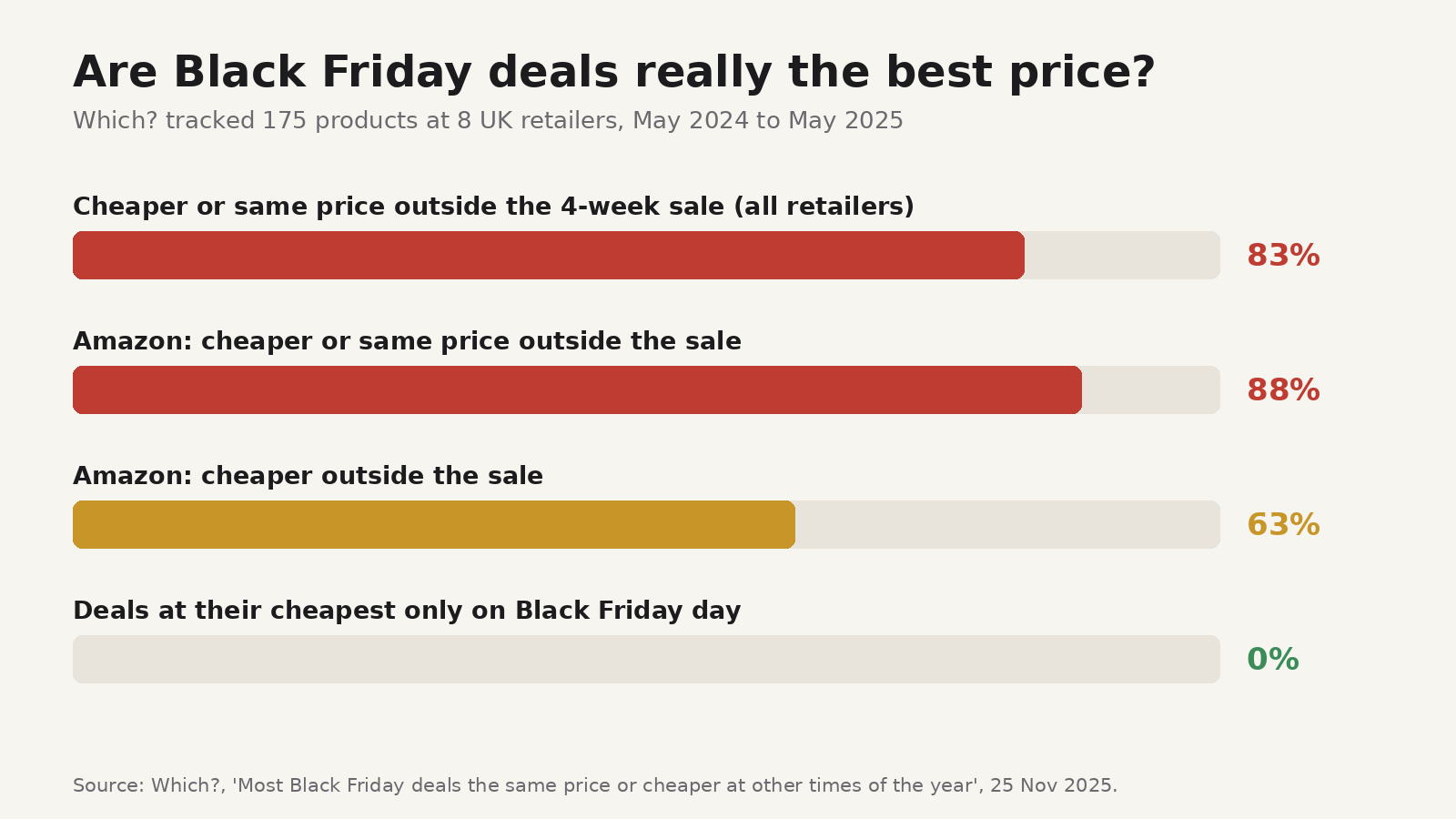
Which? tracked 175 home, tech and health products at eight major UK retailers, including Amazon, Argos, Currys and John Lewis, for six months either side of the 2024 Black Friday sale. Its findings, published in November 2025:
- 83% of products were cheaper or the same price at least once outside the four-week Black Friday sales period.
- None of the deals were at their cheapest only on Black Friday itself.
- At Amazon, 88% of deals were cheaper or the same price outside the sales period, and 63% were cheaper.
- Some "was" prices did little work. One toothbrush advertised as "save £25, RRP £50" had been at the £50 price for only 13 days in the six months before the sale.
That doesn't mean every Black Friday price is bad. Which? also found genuine deals, and some retailers did better than others. The point is that the badge on the product page tells you little. A price only counts as a deal if it beats what that exact product usually costs.
A five-step deal check
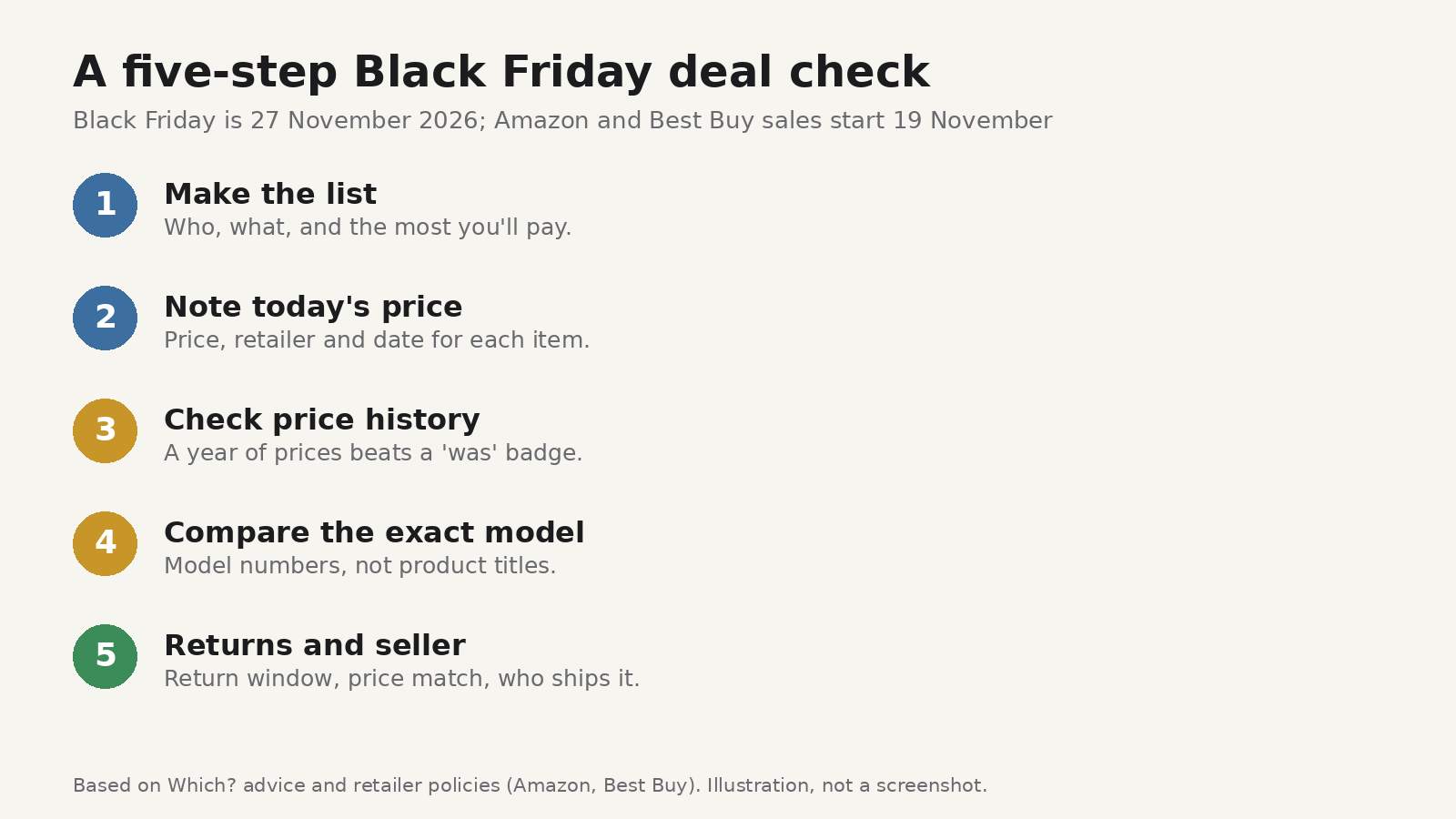
1. Make the list before you browse
Write down who you're buying for, what you want, and the most you'll pay. Which? suggests starting with a wish list for the same reason: it keeps you buying what you planned instead of whatever has the loudest red badge.
2. Note today's price and the date
For every item, save the product page and write down the price, the retailer and today's date. It takes seconds, and it's the number you'll compare against over the next ten days. Prices move in the run-up to a sale: Which? found a robot vacuum that cost £299 for 29 days in May and June 2024, £500 in the first week of October and £350 on Black Friday. Your own note is the simplest defence.
3. Check the price history
A week of your own notes is useful; a year of data is better. Amazon says its product pages have a Price History view with up to 365 days of prices. Which? points to sites such as PriceRunner and camelcamelcamel (Amazon only) for the same job. If the "deal" price shows up every few weeks, it isn't special.
4. Compare the exact model
Two products with nearly the same name can have different specs and different prices. Compare model numbers, not just product titles, before you decide one shop is cheaper than another. And ignore "RRP" or "was" prices you haven't seen yourself.
5. Check returns, price matching and the seller
Best Buy says most purchases made from 30 October to 31 December can be returned until 15 January 2027, and that its holiday price match covers a price drop on an available product it sells during the season. Other retailers have their own rules, so read them before you buy. On marketplaces, check who is actually selling and shipping the item. Which? warns that sought-after products attract counterfeits.
Pay only on sites you trust. Our post on the Optimizely card-skimming attack explains why even big-name sites aren't immune and what to check on your card statement.
Keeping your shortlist in one place
The hard part of steps 1 to 3 is keeping track: twenty tabs, three retailers, prices from Tuesday you can't remember. You can use a spreadsheet, a notes app or a retailer's wish list. A wish list works within one shop, but it won't hold a rival retailer's page next to it.
Cairn is our free read-later extension for Chrome and Firefox, and it works well as a deal-research board:
- Make a collection called "Black Friday 2026", with nested collections for each person you're buying for.
- Save each product page from the popup, the right-click menu or a keyboard shortcut, so the link stays with your list even after you close the tab.
- Add a note to each saved page with the price you saw, the retailer and the date, for example "€249 at Shop A, 19 Nov". Cairn captures readable text from articles, but product pages are built differently, so don't rely on it to record the price for you. Your note is the record.
- Tag items as "waiting", "price dropped" or "bought", and mark favorites for the ones that matter most.
- Save reviews too. Save review articles and highlight the useful line ("battery life is shorter than claimed") so you can find it again.
- Search across titles, URLs, notes and tags, so typing a model number brings up every page you saved for it.
Your library stays in your browser, with no account to create, and you can export everything to JSON. Two limits to know: the library lives in the browser profile where you saved it, with no sync yet (Cairn mobile and desktop apps are coming soon), and Cairn sends usage data by default, tied to a random install ID. Our guide on what data browser extensions can see explains how to check any extension's permissions before you install it.
Product pages also change or disappear after a sale. Our post on link rot explains why saved links break and how to keep a copy of what matters.
FAQ
Is it worth waiting for Black Friday itself?
Which? found no deals that were cheapest only on Black Friday day. If an item on your list hits a price you're happy with today, there's little reason to wait. If it doesn't, the January sales are another chance.
Are price trackers accurate?
They're a good guide, not a guarantee. Check the tracker's price against the live product page before you buy, and make sure it's tracking the same model and seller.
What about Cyber Monday?
Treat it like any other sale day: compare against your notes and the price history. Amazon's event runs through 30 November, and Best Buy's Cyber Week deals run to 6 December.
Do I need an extension for this?
No. A notes app or a spreadsheet works. An extension like Cairn just keeps the page, your note and your tags together in one place in the browser where you're already shopping.